Create new user in Dynamics 365 F&O
Get help if you have questions or experience issues when creating a new user in Microsoft Dynamics 365 Finance & Operations
Next, you will create a new user in Dynamics 365 F&O and assign it the role you have created in the previous steps. It's best practice to create a dedicated user for an integration to ensure it has the required permissions and isn't used for any other activities in Dynamics 365 F&O.
Create user
To create a new user, complete the following steps in Microsoft Dynamics 365 F&O:
-
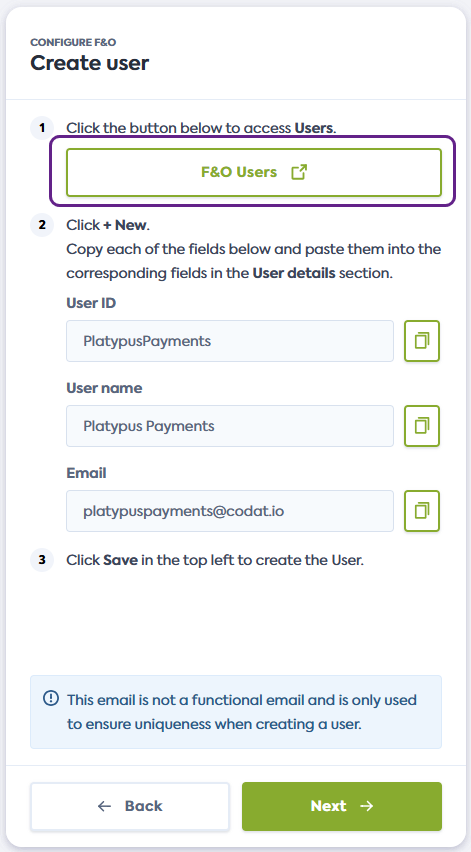
On the Create user screen of the connection flow, click the link provided. It will open the Users page of Dynamics F&O in a new window.
Alternatively, manually navigate to Users in your F&O instance.
-
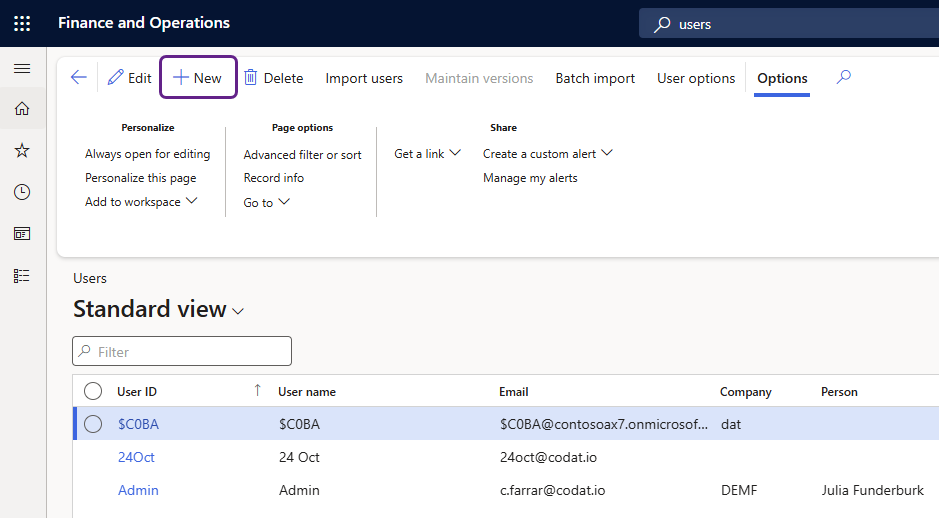
In the Users window, click + New to initiate the creation of a user.
-
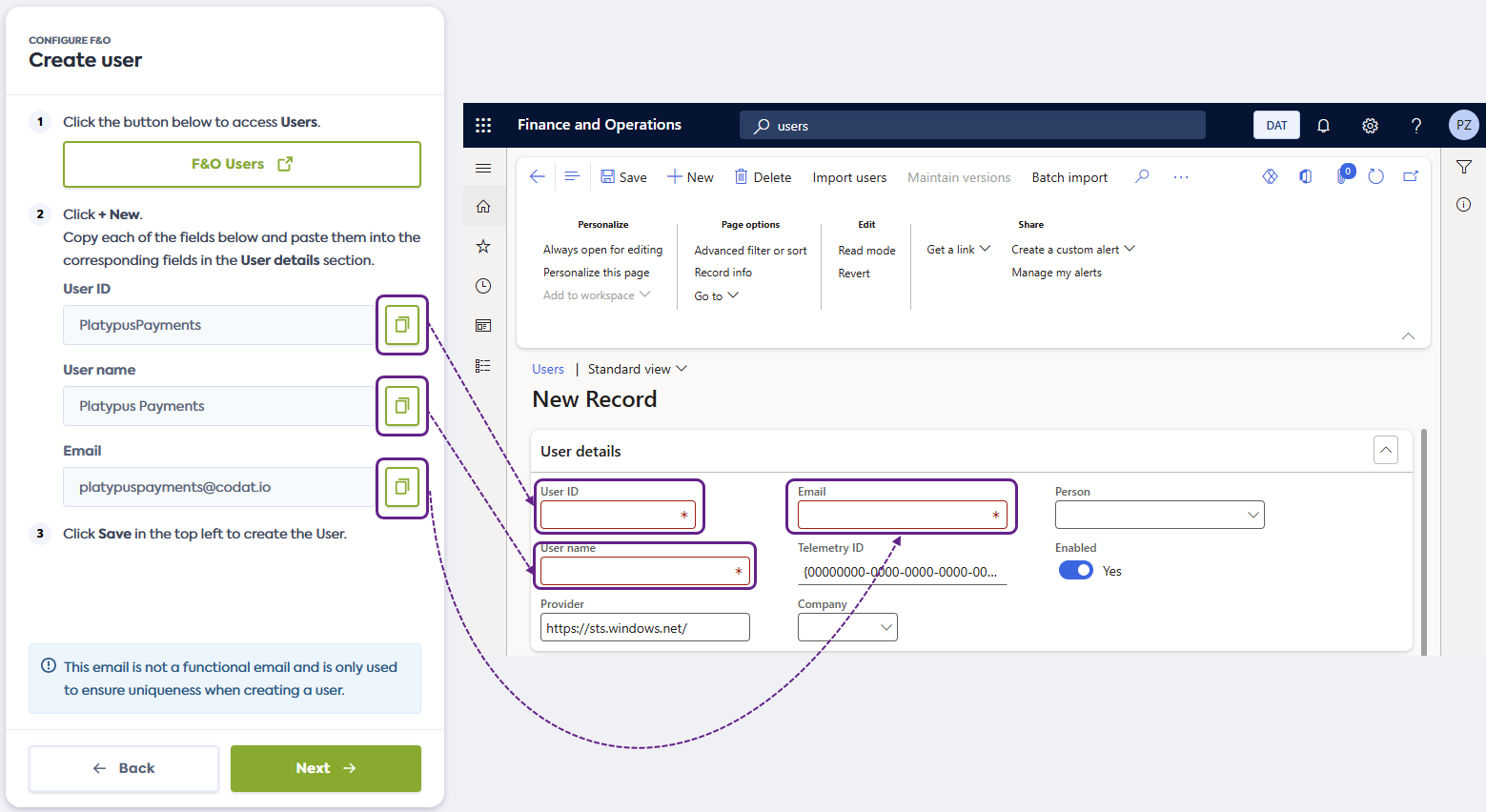
Copy the proposed User ID, User name, and Email from the connection flow and paste them into the corresponding fields in Dynamics 365 F&O.
User email addressThe email address provided in the flow is not a functional email and isn't used to send or receive messages. It only serves to provide a value for a required field and ensure that value is unique.
-
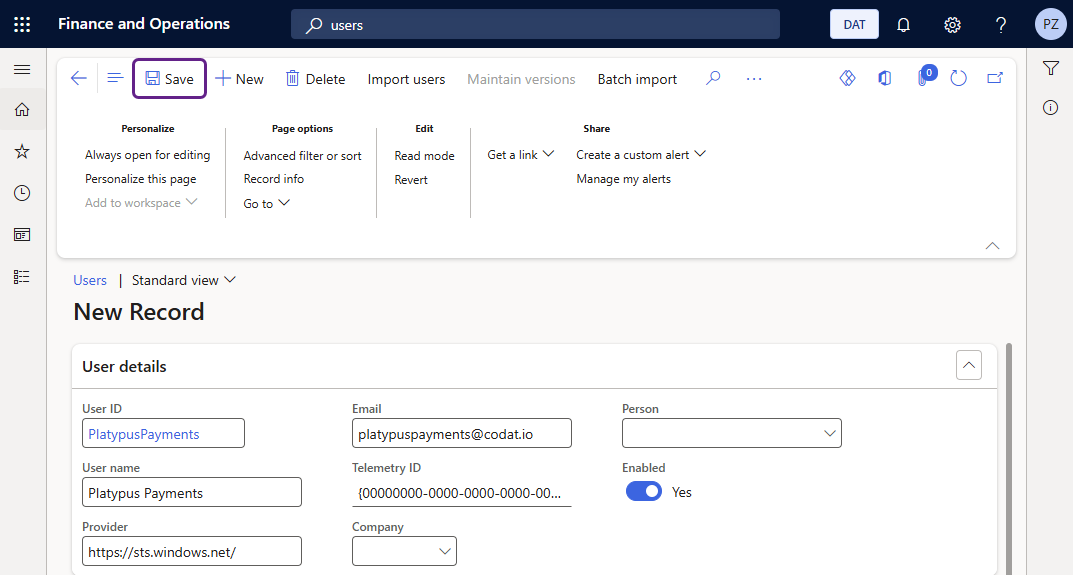
Click Save in the top left to create the new user, then click Next in the connection flow to proceed to the next step.
Assign role to user
Continue with the following steps in Microsoft Dynamics 365 F&O to assign the role you previously created to the new user:
-
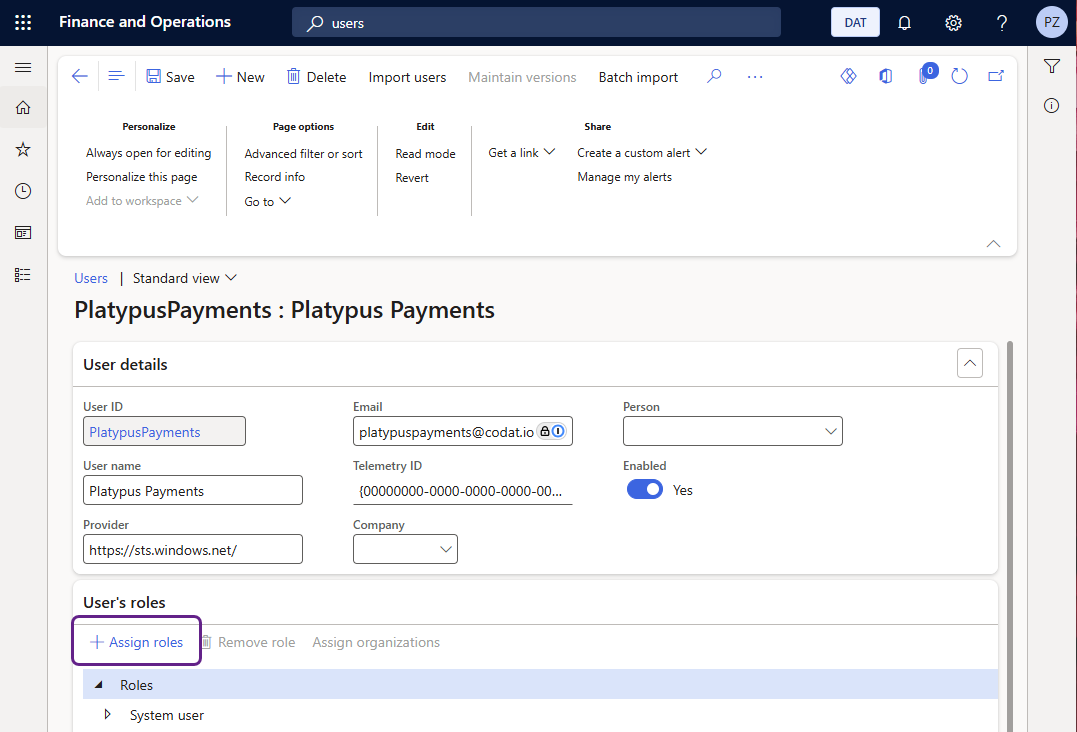
In the detailed user view, click + Assign roles under User's roles.
-
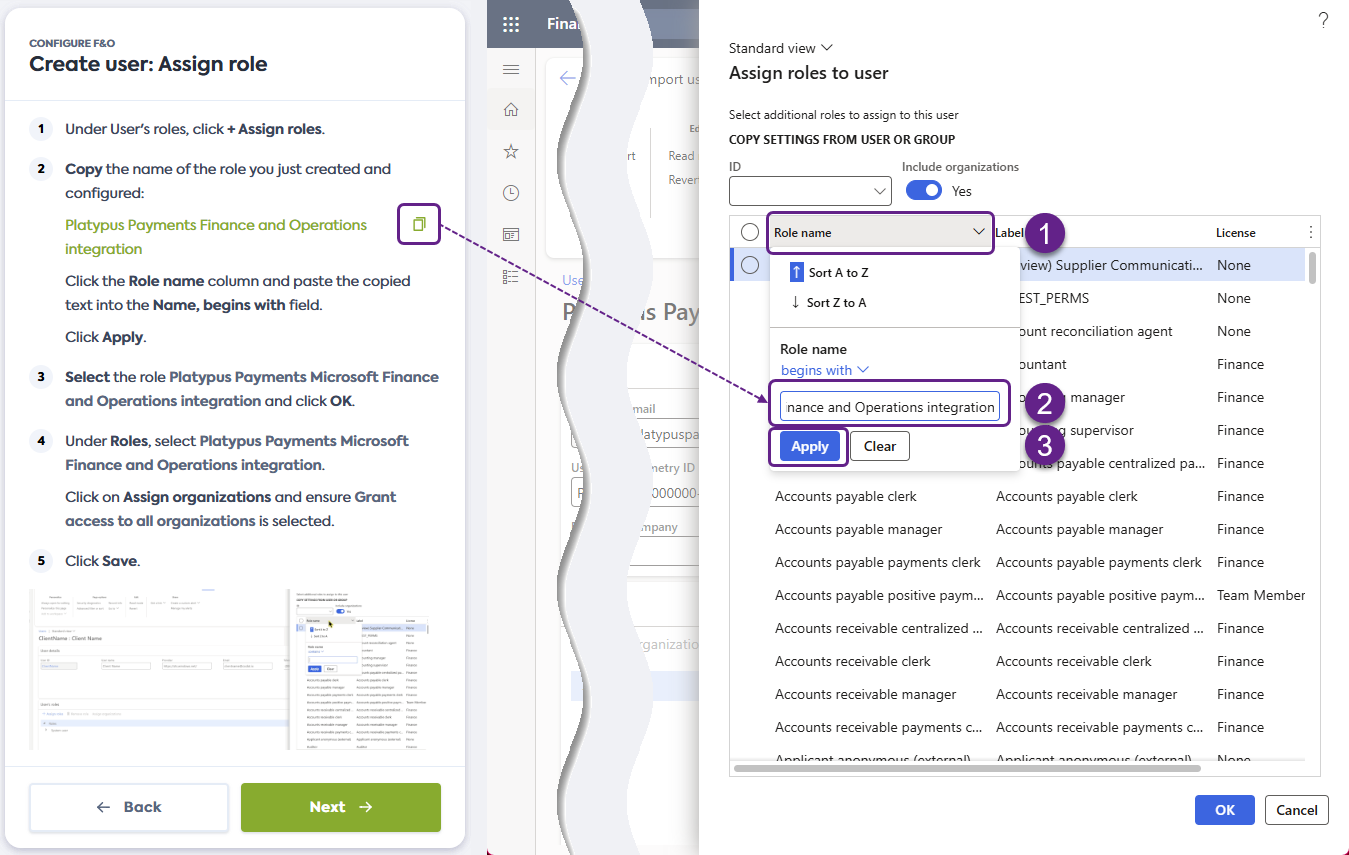
Copy the role name you just created from the connection flow.
Next, click the Role name in the Assign toles to user window, paste the name into the Name, begins with field, and click Apply.
-
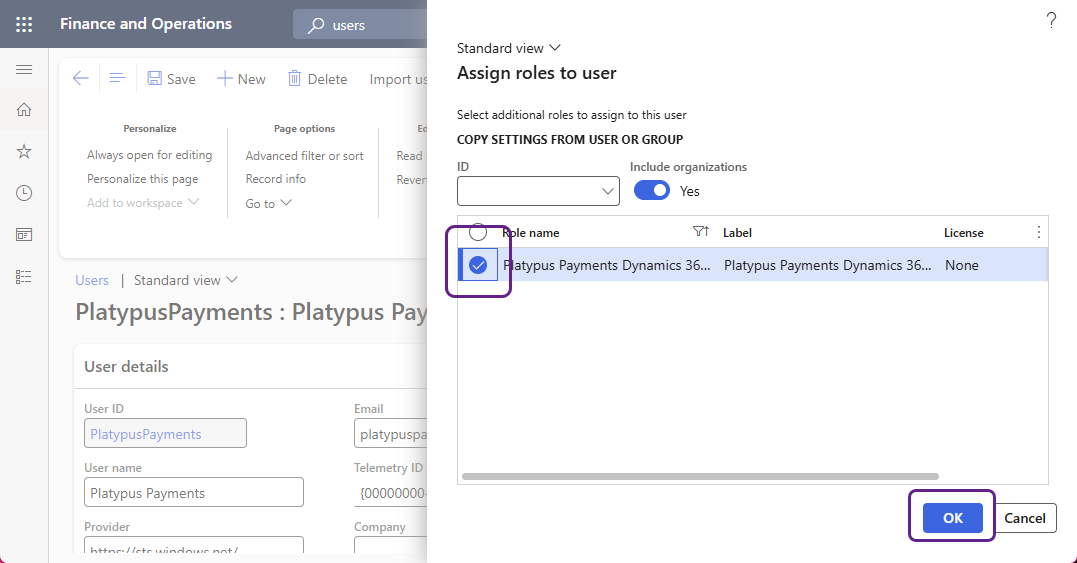
Click the role in the Role name column to select it and click OK.
-
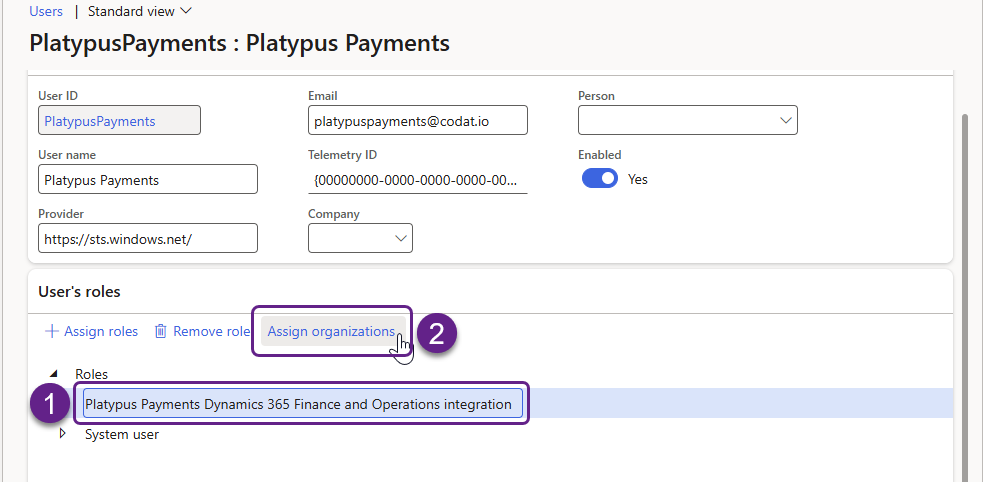
In the detailed user view, select the role you have just assigned under Roles, then click on Assign organizations.
-
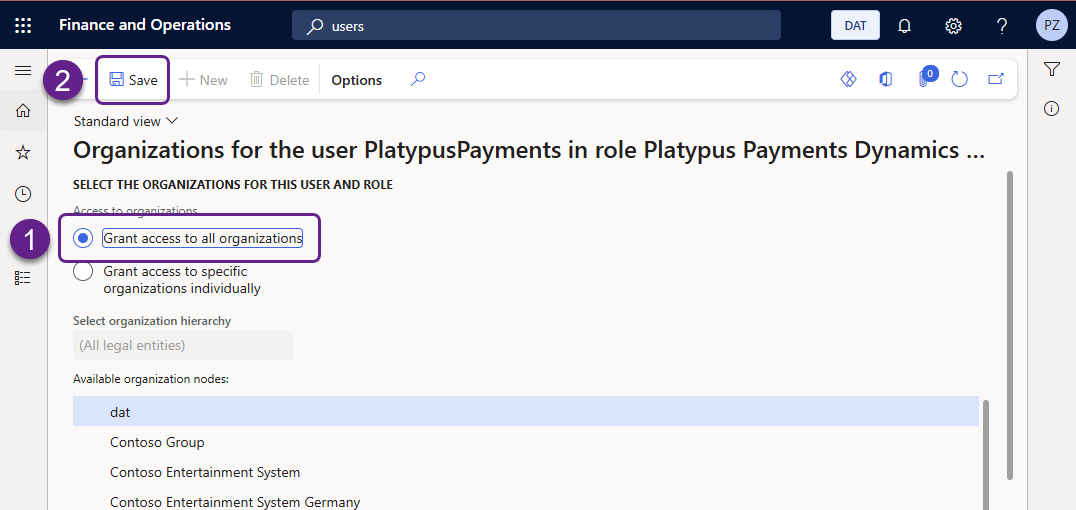
Check that Grant access to all organizations is selected, then click Save.
-
Click Next in the connection flow and proceed to the Register Entra App in Dynamics 365 F&O guide.