Top-level entity access in Sage Intacct
How to verify your Sage Intacct user can reach the top-level entity for multi-entity organisations before connecting to Codat.
If your Sage Intacct organisation has multiple subsidiaries (entities), the user setting up the connection needs to be able to reach the top-level entity. Codat connects at the top level to read data across all your subsidiaries — if access is restricted, the connection will fail.
Skip this check if Company > Setup > Entities shows a single entry. This requirement only applies to multi-entity organisations.
How do I check top-level access?
-
In Sage Intacct, go to Company > Admin > Subscriptions.
-
Find the Multi-Entity Management subscription and click Configure next to the toggle.
-
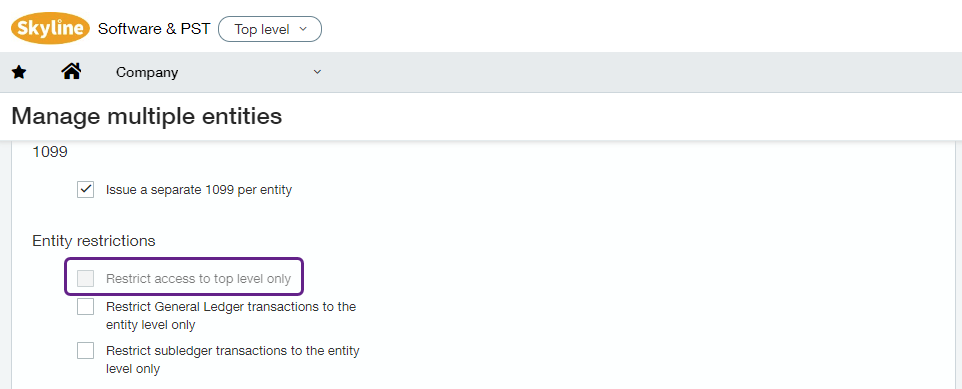
Under Entity restrictions, verify the Restrict access to top level only checkbox is unchecked.
What if access is restricted?
If the Restrict access to top level only checkbox is checked, your access is locked to the top level only — which prevents the connection from working across subsidiaries. Uncheck the box and save the configuration.
If you hit a "top level access only" error during connection, see Resolve the 'Top level access only' error for the full fix.